55 lines
4.3 KiB
Markdown
55 lines
4.3 KiB
Markdown
---
|
||
title: "Live Photos | Apple Developer Documentation"
|
||
source: https://developer.apple.com/design/human-interface-guidelines/live-photos
|
||
|
||
# Live Photos
|
||
|
||
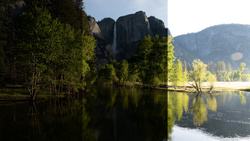
Live Photos lets people capture favorite memories in a sound- and motion-rich interactive experience that adds vitality to traditional still photos.
|
||
|
||

|
||
|
||
When Live Photos is available, the Camera app captures additional content — including audio and extra frames — before and after people take a photo. People press a Live Photo to see it spring to life.
|
||
|
||
## [Best practices](https://developer.apple.com/design/human-interface-guidelines/live-photos#Best-practices)
|
||
|
||
**Apply adjustments to all frames.** If your app lets people apply effects or adjustments to a Live Photo, make sure those changes are applied to the entire photo. If you don’t support this, give people the option of converting it to a still photo.
|
||
|
||
**Keep Live Photo content intact.** It’s important for people to experience Live Photos in a consistent way that uses the same visual treatment and interaction model across all apps. Don’t disassemble a Live Photo and present its frames or audio separately.
|
||
|
||
**Implement a great photo sharing experience.** If your app supports photo sharing, let people preview the entire contents of Live Photos before deciding to share. Always offer the option to share Live Photos as traditional photos.
|
||
|
||
**Clearly indicate when a Live Photo is downloading and when the photo is playable.** Show a progress indicator during the download process and provide some indication when the download is complete.
|
||
|
||
**Display Live Photos as traditional photos in environments that don’t support Live Photos.** Don’t attempt to replicate the Live Photos experience provided in a supported environment. Instead, show a traditional, still representation of the photo.
|
||
|
||
**Make Live Photos easily distinguishable from still photos.** The best way to identify a Live Photo is through a hint of movement. Because there are no built-in Live Photo motion effects, like the one that appears as you swipe through photos in the full-screen browser of Photos app, you need to design and implement custom motion effects.
|
||
|
||
In cases where movement isn’t possible, show a system-provided badge above the photo, either with or without text. Never include a playback button that a viewer can interpret as a video playback button.
|
||
|
||

|
||
|
||

|
||
|
||
**Keep badge placement consistent.** If you show a badge, put it in the same location on every photo. Typically, a badge looks best in a corner of a photo.
|
||
|
||
## [Platform considerations](https://developer.apple.com/design/human-interface-guidelines/live-photos#Platform-considerations)
|
||
|
||
_No additional considerations for iOS, iPadOS, macOS, or tvOS. Not supported in watchOS._
|
||
|
||
### [visionOS](https://developer.apple.com/design/human-interface-guidelines/live-photos#visionOS)
|
||
|
||
In visionOS, people can view a Live Photo, but they can’t capture one.
|
||
|
||
## [Resources](https://developer.apple.com/design/human-interface-guidelines/live-photos#Resources)
|
||
|
||
#### [Developer documentation](https://developer.apple.com/design/human-interface-guidelines/live-photos#Developer-documentation)
|
||
|
||
[`PHLivePhoto`](https://developer.apple.com/documentation/Photos/PHLivePhoto) — PhotoKit
|
||
|
||
[LivePhotosKit JS](https://developer.apple.com/documentation/LivePhotosKitJS) — LivePhotosKit JS
|
||
|
||
#### [Videos](https://developer.apple.com/design/human-interface-guidelines/live-photos#Videos)
|
||
|
||
[ What’s new in camera capture ](https://developer.apple.com/videos/play/wwdc2021/10047)
|
||
|